Why Your ATS, CRM, and VMS Sync Keeps Breaking
How staffing firms lose speed at system handoff points and what to do about it

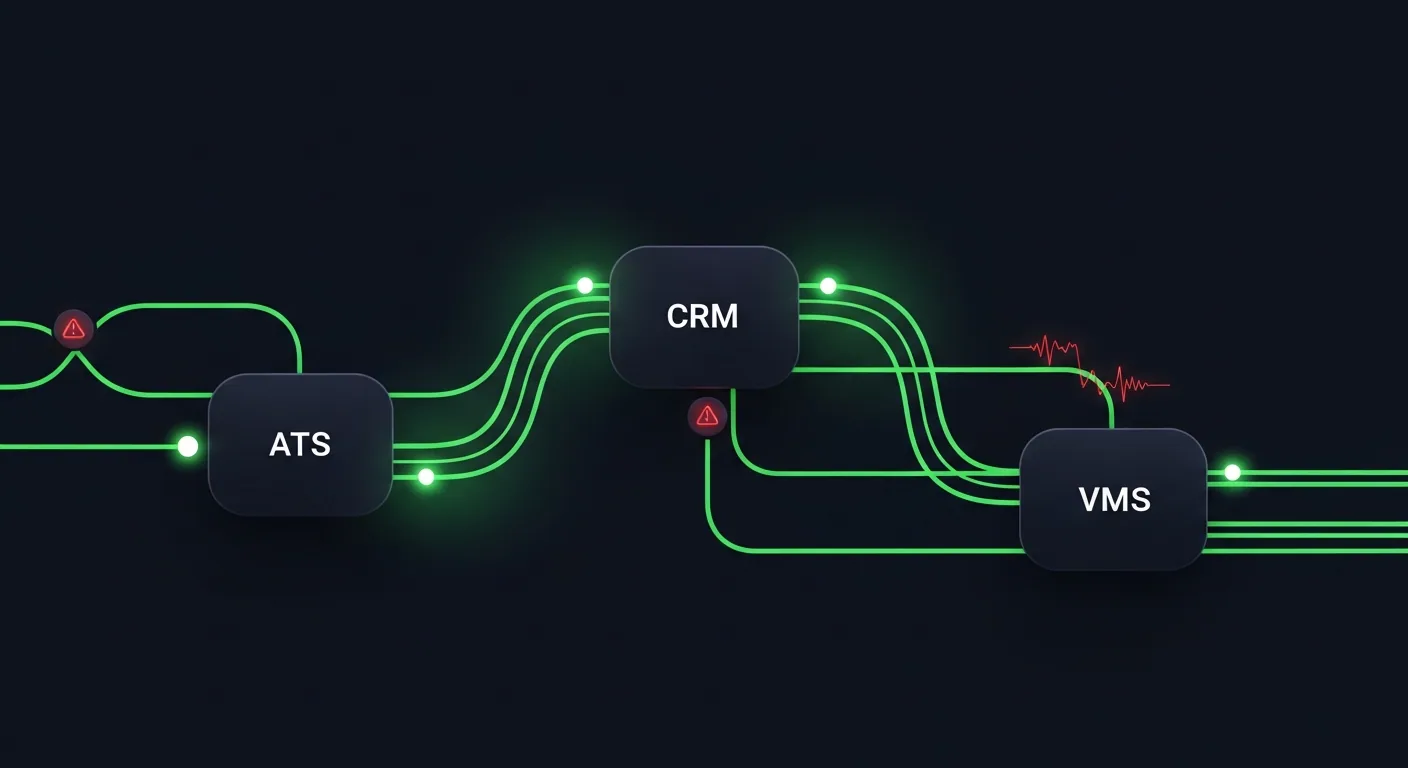
Most staffing firms do not have just one system running the business.
They have an ATS for candidates. A CRM for clients. A VMS for managed service programs. Payroll tools. Background check tools. Email inboxes. Spreadsheets. Reporting dashboards. And then, somewhere in the middle, recruiters and operations teams trying to keep everything updated manually.
On paper, this looks like a connected tech stack.
In real life, it often feels like the same information is being entered, checked, corrected, and reported five different times.
That is why so many staffing leaders feel stuck. They already invested in tools. The tools are not necessarily broken. But the workflow between the tools is still too manual.
- A recruiter updates a candidate status in the ATS, but the sales team does not see it in the CRM.
- A client changes a requirement in the VMS, but the delivery team finds out late.
- A candidate is submitted, but leadership cannot see submit velocity until someone updates a spreadsheet.
- A placement starts, but payroll and billing do not get clean information on time.
This is where staffing operations quietly lose speed. Not because people are not working hard. Because the systems are not handing work off cleanly.
Staffing Workflows Break at the Handoff Points
A staffing workflow is not one big process. It is a chain of smaller handoffs.
A job order comes in. The requirement gets reviewed. Recruiters source candidates. Candidates get screened. Shortlists are created. Submittals are made. Interviews are scheduled. Offers are accepted. Onboarding begins. Payroll and billing need the right data. Leadership wants reporting.
Each step depends on the previous step being complete, accurate, and visible.
The issue is that most systems only manage their part of the process.
- The ATS may know the candidate status.
- The CRM may know the client relationship.
- The VMS may know the open requirement.
- Payroll may know the worker record.
But no single view explains what is actually happening across the whole workflow.
That is why operations teams often become the glue. They chase updates. They reconcile data. They ask recruiters for status. They build reports manually. They fix duplicates. They compare one system against another.
This is not strategic operations work. It is system babysitting.
Why Normal Integrations Are Not Enough
Many staffing firms already have integrations between tools. But having an integration is not the same as having a working workflow.
A basic integration usually moves data from one system to another. But staffing teams need more than data movement. They need process coordination.
For example, it is not enough to move a candidate name from the ATS to the CRM. The team needs to know:
- Was the candidate submitted?
- Was the candidate submitted to the right client?
- Was the submittal accepted or rejected?
- Did the interview get scheduled?
- Did the client respond?
- Did the candidate complete onboarding?
- Is the placement ready for payroll and billing?
- Is the data clean enough for reporting?
A sync can move a field. But a workflow needs to understand status, ownership, timing, exceptions, and next steps. That is where most staffing tech stacks break.
The 7 Reasons ATS, CRM, and VMS Syncs Usually Fail
1. The Same Field Means Different Things in Different Systems
A "submitted" candidate may mean one thing in the ATS and another thing in the VMS. In one system, it may mean the recruiter submitted the candidate internally. In another, it may mean the candidate was formally sent to the client. In another, it may mean the candidate was submitted through the VMS portal.
When definitions are not aligned, reports become unreliable. The team may think they are looking at the same metric, but each system is counting something slightly different.
2. Data Moves One Way, but the Workflow Moves Both Ways
Many integrations are one-directional. A job may flow from the CRM into the ATS — but if the client changes the requirement later, that update may not flow back cleanly. Or a candidate may move from ATS to VMS, but the VMS response may not update the ATS in real time. This creates gaps. People then fill those gaps manually.
3. Duplicate Records Build Up Over Time
Staffing firms deal with large volumes of candidates, clients, contacts, jobs, and submissions. Duplicate records happen easily. One candidate may apply twice. One client may exist under multiple names. One contact may be created in the CRM and again in the ATS.
Once duplicates enter the workflow, reporting becomes messy. Teams waste time asking, "Which record is correct?"
4. Recruiters and Sales Teams Update Different Systems
Recruiters usually live in the ATS. Sales and BD teams usually live in the CRM. VMS activity may happen somewhere else entirely. This creates natural visibility gaps.
- Sales wants to know what is happening with the client.
- Recruiting wants to know what is happening with the candidate.
- Operations wants to know what is happening with the process.
- Leadership wants to know what is happening with performance.
When each team works from a different system, nobody has the full picture.
5. Manual Work Hides Inside "Quick Updates"
A quick update does not feel like a big problem. Updating a status. Copying a note. Checking a VMS portal. Sending a reminder. Fixing a missing field. Moving a date. Exporting a report.
But across multiple recruiters, branches, clients, and roles, these small updates become a major operating cost. The danger is that this work is hard to see. It does not always show up as a line item. It just slows down the desk.
6. Reporting Is Built After the Workflow Instead of Inside It
Many staffing reports are created after the work has already happened. Someone exports data. Someone cleans it. Someone combines ATS and CRM information. Someone builds a spreadsheet. Someone presents the numbers.
By the time leadership sees the report, the opportunity to act may already be gone. For staffing firms, speed matters. If submittal velocity, recruiter activity, client response time, and start-date risk are only reviewed after the fact, the business is always reacting late.
7. Exceptions Are Not Routed to the Right Person
Most staffing workflows do not fail because every step fails. They fail because a few exceptions are missed.
- A candidate does not complete onboarding.
- A client does not approve a timesheet.
- A VMS requirement changes.
- A background check is delayed.
- A submittal sits without response.
- A recruiter forgets to update the ATS.
- A placement is ready, but billing data is incomplete.
The problem is not only the exception. The problem is that the exception is not automatically routed to the person who can fix it.
The Real Cost: Slow Desks, Messy Reports, Missed Revenue
When systems do not connect properly, the damage shows up in several places.
Recruiters Lose Time
Recruiters spend less time speaking with candidates and more time updating systems, checking status, and chasing information. That matters because staffing is a speed business. The faster a recruiter can move from requirement to shortlist to submittal, the better the chance of winning the placement.
Sales Teams Lose Visibility
Sales and BD teams need to know what is happening on open requirements. If they cannot see recruiting progress clearly, they walk into client conversations with incomplete information. That weakens client confidence.
Operations Teams Become the Cleanup Crew
Operations teams often get stuck fixing what the workflow should have prevented. They clean records. They check missing fields. They reconcile status. They prepare reports. They chase updates. This turns operations into manual administration instead of process improvement.
Leadership Sees the Business Too Late
Leadership needs real-time visibility into performance. Which roles are moving? Which clients are slow? Which recruiters are overloaded? Where are submissions getting stuck? Which branches are performing well? Where is margin at risk?
If the data is delayed or inconsistent, leadership gets a lagging view of the business.
A Better Way to Think About Staffing Integrations
The goal should not be "connect everything to everything." That often creates more complexity. The better goal is:
Map the critical workflow, then connect the systems around that workflow.
Start with the core staffing process:
- Requirement intake
- Candidate search
- Screening
- Shortlist
- Submittal
- Interview
- Offer
- Onboarding
- Start
- Payroll and billing
- Reporting
Then ask: Which system owns this step? Which team needs visibility? What status change should trigger the next action? What data must be passed forward? What exception should create an alert? What should be reported automatically?
That is how staffing firms move from system sync to workflow orchestration.
Broken Staffing Workflow
- Client / VMS requirement
- Manual job entry (MANUAL)
- ATS search
- Recruiter notes (MANUAL)
- Spreadsheet tracking (MANUAL)
- Manual client update (MANUAL)
- CRM status update
- VMS submittal
- Manual follow-up (MANUAL)
- Onboarding checklist
- Payroll / billing handoff
- Manual leadership report (MANUAL)
Issues:
- Requirement changes do not update everywhere
- Recruiter activity invisible in CRM
- Submittal status tracked manually
- VMS responses checked outside workflow
- Onboarding delays found too late
- Reports depend on spreadsheet cleanup
Orchestrated Staffing Workflow
- Requirement intake (AUTO)
- Auto-structured job record (AUTO)
- Candidate match + shortlist (ATLAS)
- Recruiter review
- Client / VMS submittal (AUTO)
- Interview + response tracking (AUTO)
- Offer + onboarding tasks (AUTO)
- Credential / compliance checks (AUTO)
- Start confirmation
- Payroll + billing handoff (AUTO)
- Live reporting dashboard (LIVE)
Benefits:
- One status model across the process
- Clear ownership for every step
- Automatic alerts when work gets stuck
- Candidate, client, and job data stay connected
- Reporting created from the workflow itself
- Operations manages exceptions, not every update
The 12-Point Staffing Tech Stack Integration Audit
Use this checklist to find where the handoffs are breaking.
1. Requirement Intake
Can a new role from the client, CRM, or VMS become a clean job record without duplicate manual entry?
2. Job Status
Does every team use the same definitions for open, active, submitted, interviewing, filled, closed, and on hold?
3. Candidate Status
Can recruiters, sales, and operations see the same candidate stage without checking multiple systems?
4. Client Visibility
Can the sales team see recruiting progress before a client asks for an update?
5. VMS Activity
Are VMS requirements, submittals, responses, and changes visible inside the main operating workflow?
6. Submittal Tracking
Can the team see time-to-submit, number of submissions, response status, and client feedback without a spreadsheet?
7. Interview Scheduling
Are interview requests, confirmations, reschedules, and no-shows tracked as part of the same workflow?
8. Onboarding
Can operations see which placements are blocked by documents, background checks, credentials, or approvals?
9. Payroll and Billing Handoff
Does the right worker, rate, start date, client, and approval data reach payroll and billing on time?
10. Exception Alerts
Does the system automatically flag stalled jobs, delayed starts, missing data, or slow client responses?
11. Reporting
Are dashboards built from live workflow data, or does someone still need to export and clean spreadsheets?
12. Ownership
For every handoff, is there a clear owner who knows what action to take next?
What Staffing Leaders Should Measure
If you want to know whether your workflow is improving, do not only look at tool adoption. Look at operational movement.
| Metric | Why It Matters |
|---|---|
| Time from req intake to active search | Shows how quickly the team starts working |
| Time from req intake to first shortlist | Shows speed from demand to candidate presentation |
| Time-to-submit | Shows whether the desk is moving fast enough |
| Submittal-to-interview ratio | Shows quality of matching and client alignment |
| Interview-to-offer ratio | Shows candidate and client fit |
| Offer-to-start conversion | Shows onboarding and candidate commitment |
| Start-date delay rate | Shows onboarding or credentialing friction |
| Manual report preparation time | Shows how much leadership visibility depends on admin work |
| Duplicate record rate | Shows data hygiene issues |
| Missing field rate | Shows whether workflow data is complete enough to automate |
The point is simple: if the workflow is improving, speed and visibility should improve too.
The AI Angle: Why This Matters More Now
AI is becoming more common in staffing, but AI is only useful when the workflow around it is clean.
- If job data is messy, AI matching gets worse.
- If candidate records are duplicated, AI scoring becomes unreliable.
- If status fields are inconsistent, automation triggers the wrong action.
- If client and candidate data are disconnected, personalization becomes generic.
- If reporting is delayed, leaders cannot tell whether AI is actually helping.
Recent industry research shows staffing firms are already moving in this direction. Bullhorn's 2026 GRID report surveyed nearly 2,300 recruitment professionals globally. Bullhorn also reported that 46% of firms using AI said screening time was cut in half or better, and 55% said AI screening improved KPIs by more than 25%.
But AI does not fix a broken operating model by itself. Before a staffing firm can get full value from automation, it needs clean workflow design:
- Clear status definitions
- Connected systems
- Reliable data
- Human review points
- Exception routing
- Live reporting
Without those foundations, AI simply speeds up the confusion.
The Practical Takeaway
Most staffing firms do not need to rip out their ATS, CRM, or VMS to improve operations. They need to understand where the handoffs are breaking.
Start with a simple question:
Where does the team leave the system and start managing the process manually?
That is usually where the real problem is.
- If recruiters are checking spreadsheets, there is a handoff issue.
- If sales is asking for updates in Slack, there is a visibility issue.
- If operations is cleaning reports every Friday, there is a data issue.
- If leadership cannot see stalled roles until the weekly meeting, there is a reporting issue.
- If payroll and billing are waiting on missing placement details, there is a workflow issue.
The best staffing operations teams will not be the ones with the most tools. They will be the ones with the cleanest handoffs.
Because in staffing, speed does not come from software alone. Speed comes from making sure the right information reaches the right person at the right time, without someone having to chase it manually.