

ERP Selection Criteria Checklist: A Proven Path to the Perfect Implementation
Master Your ERP Implementation with 15 Essential Evaluation Factors

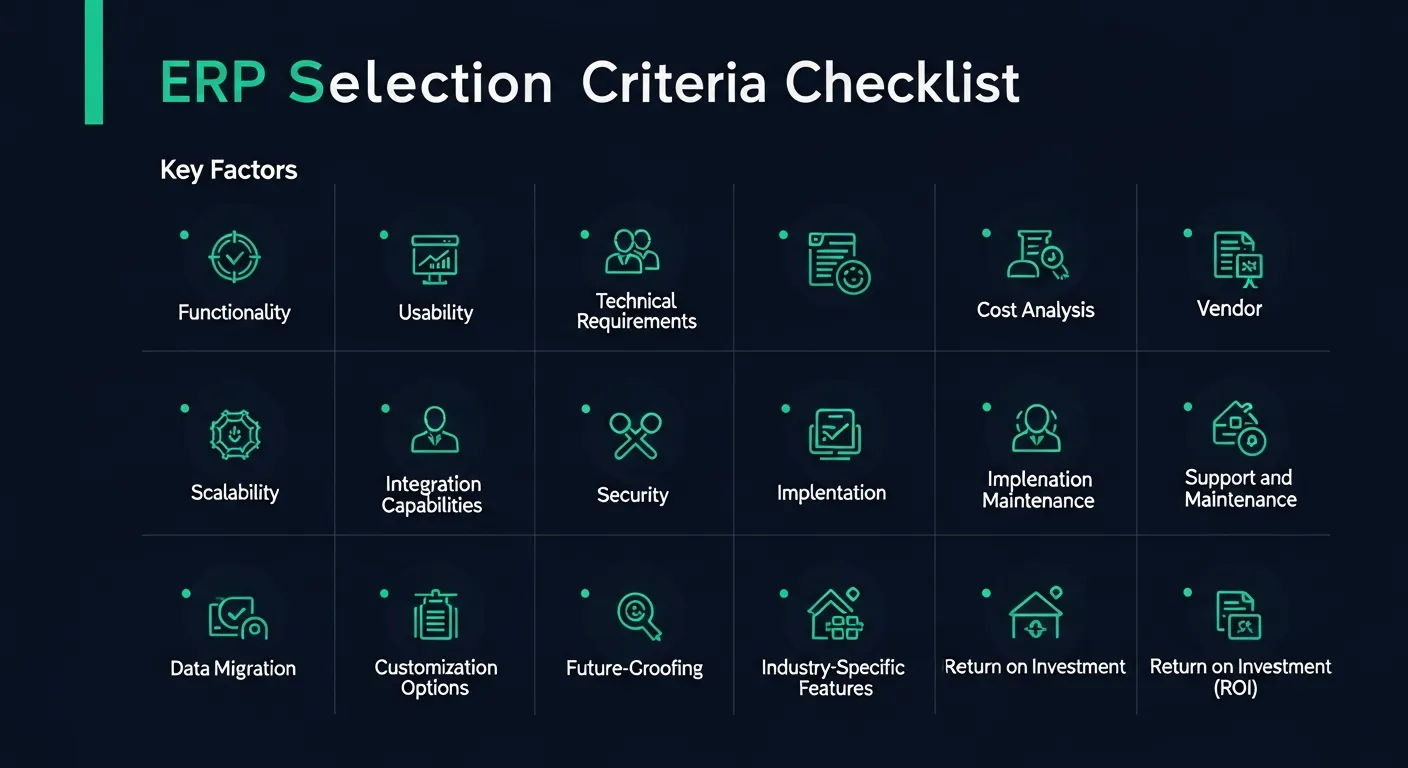
Did you know that "nearly 60% of ERP implementations fail the first time around, often due to improper planning and poor selection criteria"? Choosing the right ERP system is one of the most critical decisions your organization will make, and it requires a structured, comprehensive evaluation process.
Without a clear set of selection criteria, businesses risk investing in systems that don't align with their operations, can't scale with growth, or fail to deliver the expected return on investment. The cost of getting it wrong goes far beyond the software itself — it impacts productivity, employee morale, and competitive positioning.
This checklist walks you through 15 essential factors that every organization should evaluate when selecting an ERP system, helping you make a confident, informed decision that sets your business up for long-term success.
15 Essential Factors
A successful ERP selection process requires evaluating the system across multiple dimensions. Focusing on just one or two areas — like cost or features — often leads to costly mistakes down the road. Here are the 15 critical factors you should assess before making your final decision:
- Functionality and Features
- Usability and User Experience
- Technical Requirements
- Vendor Evaluation
- Implementation and Deployment
- Total Cost of Ownership
- Business Process Alignment
- Reporting and Analytics
- Collaboration and Communication
- Scalability and Future-proofing
- Customer Focus
- Supply Chain Management
- Human Capital Management
- Financial Management
- Risk Management and Compliance
Let's explore each of these factors in detail so you can build a comprehensive evaluation framework tailored to your organization's unique needs.
1. Functionality and Features
The core functionality of an ERP system determines whether it can support your day-to-day operations and strategic goals. Evaluate these key areas to ensure the system meets your functional requirements:
- Industry-specific requirements: Verify that the ERP system offers modules and features tailored to your industry's unique workflows, regulatory needs, and operational demands.
- Core modules: Assess the availability and depth of essential modules such as finance, procurement, inventory, manufacturing, sales, and human resources to cover all critical business functions.
- Reporting and analytics: Ensure the system provides robust built-in reporting capabilities with customizable dashboards and real-time data visualization to support informed decision-making.
- Customization options: Evaluate how easily the system can be configured or customized to match your specific business processes without requiring extensive development effort or vendor dependency.
- Integration with existing systems: Confirm that the ERP can seamlessly integrate with your current software ecosystem, including CRM, e-commerce, supply chain, and third-party applications via APIs or connectors.
- Mobile accessibility: Check whether the system offers native mobile applications or responsive interfaces that allow users to access critical functions and data from any device, anywhere.
- Workflow automation: Look for built-in workflow automation capabilities that can streamline approvals, notifications, task assignments, and routine processes to reduce manual effort and errors.
2. Usability and User Experience
A powerful ERP system is only effective if people actually use it. Usability directly impacts adoption rates, training costs, and overall return on investment:
- Intuitive user interface: Evaluate whether the system features a clean, modern interface with logical navigation, consistent design patterns, and minimal clicks to complete common tasks.
- Ease of learning: Assess the learning curve for new users by considering the system's onboarding experience, contextual help features, and overall intuitiveness for non-technical staff.
- Customizable dashboards: Confirm that users can personalize their workspace with role-specific dashboards, widgets, and shortcuts that surface the most relevant information for their daily tasks.
- Accessibility features: Ensure the system complies with accessibility standards (such as WCAG) and accommodates users with disabilities through screen reader support, keyboard navigation, and adjustable display settings.
- Multi-language and multi-currency support: Verify that the system supports multiple languages and currencies natively, enabling seamless operations across global teams and international markets.
- User guides and tutorials: Check for comprehensive documentation, in-app tutorials, video walkthroughs, and knowledge bases that empower users to learn independently and resolve issues quickly.
3. Technical Requirements
The technical foundation of your ERP system determines its performance, security, and long-term viability. Carefully evaluate these technical considerations:
- Hardware and software compatibility: Verify that the ERP system is compatible with your existing IT infrastructure, including operating systems, databases, browsers, and hardware specifications.
- Scalability and performance: Assess the system's ability to handle increasing data volumes, user loads, and transaction throughput as your business grows without performance degradation.
- Security features: Evaluate built-in security mechanisms including role-based access controls, data encryption at rest and in transit, multi-factor authentication, and audit logging capabilities.
- Compliance standards: Confirm that the system meets relevant industry and regulatory compliance requirements such as SOC 2, GDPR, HIPAA, or industry-specific standards applicable to your business.
- Cloud vs. on-premise deployment: Determine whether a cloud-based, on-premise, or hybrid deployment model best suits your organization's security requirements, budget, and IT capabilities.
- Disaster recovery and backup: Review the system's disaster recovery capabilities, including automated backups, failover mechanisms, recovery time objectives (RTO), and recovery point objectives (RPO).
4. Vendor Evaluation
Your ERP vendor becomes a long-term partner in your digital transformation journey. Choosing the right vendor is just as important as choosing the right software:
- Reputation and financial stability: Research the vendor's market position, financial health, customer base, and track record to ensure they'll be a reliable partner for years to come.
- Industry expertise: Assess whether the vendor has deep experience in your specific industry, with proven implementations and an understanding of your sector's unique challenges and requirements.
- Product roadmap: Review the vendor's product development roadmap to understand their innovation strategy, upcoming features, and commitment to keeping the platform current with emerging technologies.
- Customer support and SLAs: Evaluate the vendor's support model, including response times, escalation procedures, dedicated account management, and service level agreements that guarantee performance standards.
- Partner ecosystem: Examine the vendor's network of implementation partners, third-party integrations, marketplace extensions, and community resources that can extend the system's capabilities.
- References and case studies: Request references from organizations similar to yours in size, industry, and complexity, and review case studies that demonstrate measurable outcomes from the vendor's implementations.
5. Implementation and Deployment
Even the best ERP system can fail if the implementation is poorly managed. Understanding the vendor's implementation approach is critical to project success:
- Implementation methodology and timeline: Evaluate the vendor's recommended implementation methodology, whether agile, waterfall, or hybrid, and assess whether the proposed timeline aligns with your business constraints.
- Data migration strategy: Review the vendor's approach to data migration, including tools, processes, validation procedures, and support for migrating complex data from legacy systems with minimal disruption.
- Implementation services: Assess the availability and quality of professional services offered by the vendor or their certified partners for system configuration, customization, integration, and go-live support.
- User training programs: Evaluate the comprehensiveness of training offerings, including role-based training curricula, hands-on workshops, e-learning modules, and train-the-trainer programs for ongoing knowledge transfer.
- Project management support: Determine the level of project management support the vendor provides, including dedicated project managers, governance frameworks, risk management processes, and regular status reporting.
- Post-implementation support: Review the vendor's post-go-live support model, including hypercare periods, ongoing optimization services, system health checks, and continuous improvement programs.
6. Total Cost of Ownership
Understanding the full financial picture of an ERP investment goes far beyond the initial purchase price. A comprehensive TCO analysis prevents budget surprises and ensures realistic financial planning:
- Software licensing and subscription costs: Compare licensing models including perpetual licenses, subscription-based pricing, per-user fees, and tiered pricing structures to find the most cost-effective option for your organization.
- Hardware and infrastructure expenses: Calculate the costs of servers, networking equipment, storage, and cloud infrastructure required to run the ERP system at optimal performance levels.
- Implementation and customization fees: Budget for professional services including system configuration, custom development, integration work, data migration, and project management throughout the implementation lifecycle.
- Training and change management costs: Account for all training-related expenses including instructor fees, training materials, employee time away from productive work, and change management consulting services.
- Ongoing maintenance and support costs: Factor in annual maintenance fees, support contracts, software updates, patch management, and the internal IT resources required for day-to-day system administration.
- Scalability cost considerations: Project future costs as your business grows, including additional user licenses, increased storage and computing resources, new modules, and expanded integration requirements.
7. Business Process Alignment
The best ERP system is one that aligns naturally with how your business operates. Misalignment between the system and your processes leads to workarounds, inefficiency, and user frustration:
- Fit with current business processes: Evaluate how well the ERP system supports your existing workflows out of the box, identifying areas where the system naturally aligns and where gaps exist.
- Support for key business processes: Verify that the system can handle your most critical and complex business processes, including order-to-cash, procure-to-pay, plan-to-produce, and record-to-report cycles.
- Flexibility and configurability: Assess the system's ability to be configured to match your unique processes without heavy customization, using built-in tools for workflow design, business rules, and process automation.
- Industry best practices: Determine whether the ERP system incorporates industry best practices and standard processes that could help your organization improve operations and adopt proven methodologies.
- Business process reengineering potential: Consider whether the ERP implementation presents an opportunity to reengineer and optimize existing processes, eliminating inefficiencies and adopting more streamlined approaches.
8. Reporting and Analytics
In today's data-driven business environment, the ability to extract actionable insights from your ERP data is a competitive advantage. Evaluate the system's reporting and analytics capabilities:
- Built-in reporting tools: Assess the quality and breadth of standard reports included with the system, covering financial statements, operational metrics, compliance reports, and management dashboards.
- Customizable report builder: Verify that the system includes user-friendly report creation tools that allow business users to design custom reports without requiring technical skills or IT intervention.
- Real-time data and dashboards: Confirm that the system provides real-time data access and live dashboards that give decision-makers immediate visibility into key performance indicators across the organization.
- Business intelligence integration: Evaluate the system's ability to integrate with leading BI platforms like Power BI, Tableau, or Looker for advanced analytics, data visualization, and predictive modeling.
- Data-driven decision support: Look for features that transform raw data into actionable insights, including trend analysis, anomaly detection, benchmarking, and automated alerts for key metrics.
- Forecasting and planning tools: Assess built-in forecasting capabilities for demand planning, financial projections, resource allocation, and scenario modeling that help your organization plan proactively.
9. Collaboration and Communication
Modern ERP systems should facilitate seamless collaboration across teams, departments, and even external partners. Evaluate the system's communication capabilities:
- Built-in collaboration tools: Assess whether the system includes native collaboration features such as shared workspaces, document management, task assignments, commenting, and activity feeds within business processes.
- External platform integration: Verify that the ERP integrates with popular communication and collaboration platforms like Microsoft Teams, Slack, Zoom, and email systems for unified workflows.
- Cross-functional communication: Evaluate how the system facilitates communication between departments, enabling procurement, sales, finance, and operations teams to share information and coordinate activities seamlessly.
- Automated notifications and alerts: Check for configurable notification systems that automatically alert relevant stakeholders about approvals, exceptions, deadlines, and status changes across business processes.
- Mobile collaboration capabilities: Confirm that collaboration features are fully accessible on mobile devices, allowing remote and field workers to participate in discussions, approve requests, and access shared resources on the go.
10. Scalability and Future-proofing
Your ERP system should grow with your business. Evaluating scalability ensures your investment remains valuable as your organization evolves:
- Support for business growth: Assess whether the system can accommodate significant increases in users, transactions, data volume, and organizational complexity without requiring a platform change.
- Multiple locations and currencies: Verify that the system natively supports multi-site operations, multi-currency transactions, inter-company accounting, and consolidated reporting across geographic locations.
- Adding new modules and functionality: Evaluate the ease of activating additional modules or features as your business needs expand, without disrupting existing operations or requiring a reimplementation.
- Regular software updates and innovation: Review the vendor's track record of delivering regular updates, new features, security patches, and performance improvements that keep the system current and competitive.
- Emerging technology readiness: Assess the system's readiness for emerging technologies such as artificial intelligence, machine learning, IoT integration, robotic process automation, and advanced analytics capabilities.
11. Customer Focus
An ERP system should help you deliver exceptional customer experiences. Evaluate how the system supports customer-facing operations:
- CRM functionality: Assess whether the ERP includes built-in CRM capabilities or seamlessly integrates with leading CRM platforms to provide a unified view of customer interactions, sales pipelines, and service history.
- Self-service customer portals: Verify that the system supports customer-facing portals where clients can place orders, track shipments, view invoices, submit support tickets, and manage their accounts independently.
- eCommerce integration: Evaluate the system's ability to integrate with eCommerce platforms for real-time inventory visibility, order synchronization, pricing management, and seamless online-to-offline customer experiences.
- Personalization and customer insights: Look for features that leverage customer data to enable personalized pricing, targeted promotions, tailored product recommendations, and proactive service based on customer behavior patterns.
- Customer satisfaction tracking: Check for tools that measure and monitor customer satisfaction through surveys, feedback collection, Net Promoter Score tracking, and service quality metrics integrated into your ERP workflows.
12. Supply Chain Management
Effective supply chain management is crucial for operational efficiency and customer satisfaction. Evaluate the ERP system's supply chain capabilities:
- Procurement and inventory management: Assess the system's capabilities for purchase order management, vendor selection, inventory optimization, demand planning, and automated reorder point calculations.
- Logistics and transportation: Evaluate features for shipping management, freight optimization, carrier selection, route planning, and delivery tracking that streamline your logistics operations.
- Supplier collaboration and integration: Verify that the system supports supplier portals, electronic data interchange (EDI), vendor-managed inventory, and real-time collaboration with supply chain partners.
- Lean manufacturing support: Look for features that support lean manufacturing principles including just-in-time production, kanban management, waste reduction tracking, and continuous improvement workflows.
- Real-time supply chain visibility: Confirm that the system provides end-to-end visibility across your supply chain with real-time tracking, predictive analytics, and alert systems for disruptions or bottlenecks.
13. Human Capital Management
Your people are your most valuable asset. Evaluate how the ERP system supports human capital management across the employee lifecycle:
- Core HR functionality: Assess the system's capabilities for employee records management, organizational structure, benefits administration, payroll processing, time and attendance tracking, and leave management.
- Talent acquisition and onboarding: Evaluate features for recruitment workflow management, applicant tracking, interview scheduling, offer management, and structured onboarding programs that accelerate new hire productivity.
- Performance management: Look for tools that support goal setting, performance reviews, 360-degree feedback, competency assessments, development planning, and succession management across the organization.
- Employee self-service portals: Verify that the system provides self-service capabilities where employees can update personal information, submit time-off requests, access pay stubs, enroll in benefits, and view company policies.
- Labor law and compliance: Confirm that the system stays current with labor regulations, tax requirements, and employment laws across all jurisdictions where you operate, with automated compliance monitoring and reporting.
14. Financial Management
Financial management is the backbone of any ERP system. Evaluate the depth and accuracy of financial capabilities to ensure regulatory compliance and strategic visibility:
- General ledger, accounts payable, and accounts receivable: Assess the system's core financial modules for chart of accounts management, journal entries, vendor payments, customer invoicing, cash application, and bank reconciliation.
- Financial reporting and consolidation: Evaluate the system's ability to generate accurate financial statements, support multi-entity consolidation, handle intercompany transactions, and comply with accounting standards like GAAP or IFRS.
- Budgeting and forecasting: Look for robust budgeting tools that support collaborative budget creation, variance analysis, rolling forecasts, what-if scenarios, and integration with operational planning processes.
- Tax management and compliance: Verify that the system handles complex tax calculations, multi-jurisdictional tax requirements, automated tax filing, and audit-ready documentation for sales tax, VAT, and income tax.
- Banking and cash management integration: Confirm that the system integrates with banking platforms for automated bank feeds, payment processing, cash flow forecasting, treasury management, and electronic fund transfers.
15. Risk Management and Compliance
In an increasingly regulated business environment, your ERP system must help you manage risk and maintain compliance across all operations:
- Audit trails and documentation: Assess the system's ability to maintain comprehensive audit trails that track every transaction, change, and user action with timestamps, providing full traceability for internal and external audits.
- Industry-specific compliance: Verify that the system supports compliance requirements specific to your industry, such as FDA regulations for pharmaceuticals, SOX for publicly traded companies, or PCI DSS for payment processing.
- Risk assessment tools: Evaluate built-in risk assessment and monitoring capabilities that help identify, quantify, and mitigate operational, financial, and strategic risks across your organization.
- Business continuity planning: Look for features that support business continuity planning, including disaster recovery procedures, backup management, failover capabilities, and recovery testing frameworks.
- Governance, risk, and compliance (GRC) integration: Confirm that the system integrates with or includes GRC capabilities for policy management, regulatory change tracking, compliance monitoring, and automated reporting to regulatory bodies.
Common Mistakes to Avoid
Even with a comprehensive checklist, organizations frequently fall into common traps during the ERP selection process. Being aware of these pitfalls can save your organization significant time, money, and frustration:
1. Overlooking Key Stakeholders' Input
One of the most damaging mistakes in ERP selection is failing to involve all relevant stakeholders in the evaluation process. When decisions are made solely by IT or executive leadership without input from the people who will use the system daily, the result is often a solution that looks great on paper but fails in practice. Department heads, frontline workers, and cross-functional team members all bring unique perspectives that are essential for identifying must-have features, potential integration challenges, and workflow requirements that might otherwise be overlooked.
Tip: Create a cross-functional evaluation committee with representatives from every department that will interact with the ERP system, and ensure their feedback is weighted equally in the final decision.
2. Focusing Solely on Cost
While budget is undeniably important, choosing an ERP system based primarily on the lowest price tag is a recipe for long-term disappointment. The cheapest option often comes with hidden costs — limited functionality that requires expensive add-ons, poor vendor support that leads to extended downtime, or inflexible architecture that demands costly customization. A true total cost of ownership analysis considers not just the purchase price, but the value the system delivers over its entire lifecycle, including productivity gains, error reduction, and strategic insights.
Tip: Evaluate ERP systems based on long-term value and ROI rather than upfront cost alone. Calculate the total cost of ownership over a 5-10 year period, including all direct and indirect costs.
3. Underestimating User Adoption
A technically superior ERP system is worthless if your team refuses to use it. Organizations frequently underestimate the importance of user experience, change management, and training in driving successful adoption. Complex interfaces, unintuitive workflows, and inadequate training lead to resistance, shadow systems, and ultimately project failure. The best ERP investment is one that people actually embrace and use to its full potential.
Tip: Prioritize ease of use and user experience during evaluation. Involve end-users in demos and pilots, and budget adequately for comprehensive training and ongoing change management support.
4. Neglecting Scalability
Selecting an ERP system that meets your current needs but cannot grow with your business is a short-sighted decision that leads to another painful selection process in just a few years. Organizations that fail to consider future expansion, new markets, additional product lines, or emerging technology requirements often find themselves trapped with a system that becomes a bottleneck rather than an enabler. Your ERP should be a platform for growth, not a constraint on ambition.
Tip: Always evaluate ERP systems against your 5-year business plan. Ensure the platform can accommodate anticipated growth in users, locations, transaction volumes, and functional requirements without a major overhaul.
Streamline Your Digital Transformation
Selecting the right ERP system is a pivotal moment in your organization's digital transformation journey. By methodically evaluating each of the 15 criteria outlined in this checklist — from functionality and usability to risk management and compliance — you can make a confident, data-driven decision that aligns with both your current operations and future ambitions. Remember, the goal isn't just to implement software; it's to build a foundation that empowers your teams, streamlines your processes, and positions your business for sustained growth. Take the time to evaluate thoroughly, involve the right stakeholders, and choose a partner who shares your vision for transformation.