

ERP Upgrade: 8 Successful Tips, Process, Guide To Get Started
Guide to successful ERP system upgrades

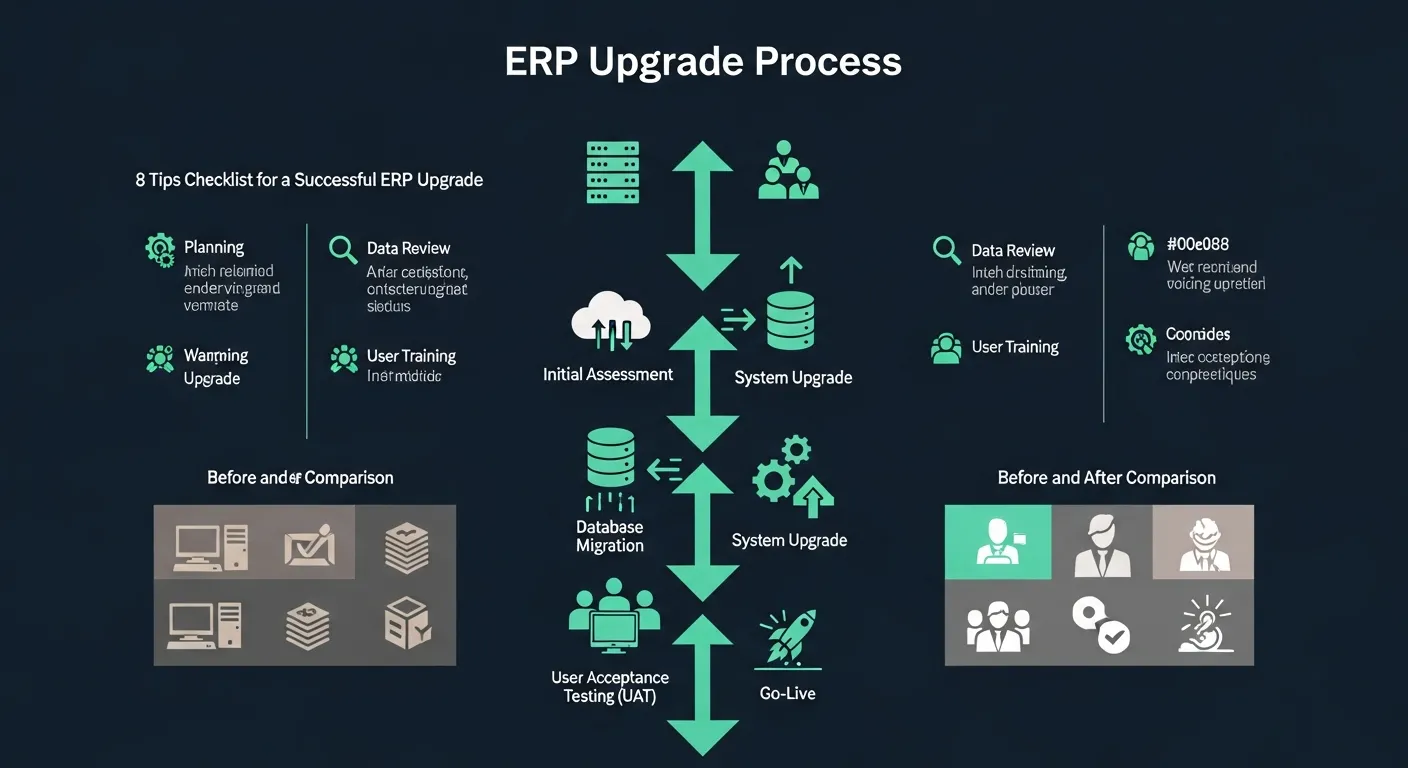
An ERP upgrade is an important phase that comes after the initial implementation of your ERP system. It ensures that your system never becomes out of date and remains aligned with your business objectives. Upgrading is a critical step towards better software that supports growth and adapts to dynamic business needs. To stay ahead of the competition, organizations must prioritize upgrading their ERP systems regularly.
Reasons to Begin ERP Upgrade
There are several compelling reasons why businesses should consider beginning an ERP upgrade. Understanding these reasons will help you make a more informed decision about when and how to proceed with your upgrade journey.
- Access to Modern System: Technology gets outdated quickly in today's fast-paced digital landscape. An ERP upgrade brings new technology capabilities that drive efficiency, improve workflows, and keep your business operating with the latest tools available.
- Zero Re-training Needed: Unlike implementing an entirely new system, an upgrade doesn't require training from scratch. Since employees are already familiar with the core system, the learning curve is minimal. Training can be a tiring and time-consuming activity, so avoiding it is a significant advantage.
- Constant Vendor Support: If you fail to upgrade your ERP system for a long period, the vendor will gradually withdraw support for older versions. Staying current with upgrades ensures you maintain access to vendor support, security patches, and new feature releases.
Why go for an ERP upgrade?
There are five major factors that signal it's time for an ERP upgrade. Recognizing these indicators early can help your organization plan and execute a smoother transition.
- Growth: Analyze four key indicators that suggest your business has outgrown its current ERP capabilities — more transactions, newer products being offered, sales in newer markets, and the launch of a new line of business. Any of these growth signals may warrant an upgrade.
- Mergers: Mergers, expansions, and acquisitions are common in today's business environment. When your organization undergoes such changes, you must begin the ERP upgrade process to accommodate new entities, workflows, and reporting requirements.
- Legacy Technology: If your parent system is storing all your data and is custom-built on older technology, you face a major constraint — the lack of supporting vendors. Legacy systems become increasingly difficult and expensive to maintain over time.
- Regulation-related Conditions: Your organization may need an ERP upgrade due to regulatory reasons. New compliance requirements, tax law changes, or industry-specific regulations often necessitate system updates to ensure your business remains compliant.
- Leadership: If the current leadership capabilities of your ERP system have become redundant and no longer align with your strategic goals, it's time for an upgrade. Modern ERP systems offer advanced analytics and decision-support tools that empower leadership teams.
ERP Upgrade vs Replace
One of the most critical decisions businesses face is whether to upgrade their existing ERP system or replace it entirely. Both approaches have their merits, and the right choice depends on your specific circumstances.
- Upgrade Benefits: An upgrade causes no disruption to your current operations and ensures a smooth transition. You receive an upgraded version of your current software, which means your team is already familiar with the interface. This approach is more cost-efficient and saves significant time compared to a full replacement.
- Replace Benefits: Replacement is the better option when other vendors have launched newer, more capable systems that better align with your needs. A completely new system opens doors to better opportunities and improved efficiency. Replacement is often the best bet during mergers and acquisitions where system consolidation is required.
Before making your final decision, consider cloud-deployment options carefully. Cloud-based ERP solutions offer flexibility, scalability, and reduced infrastructure costs that can influence whether an upgrade or replacement makes more sense for your organization.
8 Tips for ERP Upgrade Success
A successful ERP upgrade requires careful planning and execution. Here are eight proven tips to help ensure your upgrade goes smoothly.
- Impress the Executive: Getting top leadership on board is essential for a successful ERP upgrade. Executive buy-in ensures you have the necessary budget, resources, and organizational support to see the project through to completion.
- Understand Issues and Set Standards: Before beginning the upgrade, identify the existing pain points in your current ERP software. Understanding what isn't working helps you set clear standards and expectations for the upgraded system.
- Involve Users in the Front: It's important to involve end users at the forefront of the upgrade process. Their input provides valuable insights into daily workflows and helps ensure the upgraded system meets actual operational needs.
- Identify Gaps: All ERP systems have imperfections and limitations. Take the time to identify these gaps before the upgrade so you can address them during the transition and avoid carrying forward existing issues.
- Draft an Achievable Plan: Be realistic when planning your ERP upgrade. Don't set the bar too high with unrealistic timelines or scope. A well-defined, achievable plan with clear milestones is the foundation of a successful upgrade.
- Data Mapping: Take care of data mapping yourself rather than leaving it entirely to vendors. Understanding how your data flows between systems ensures accuracy and reduces the risk of data loss or corruption during the upgrade.
- Take Care of Scope Creep: The actual cost of an ERP upgrade can exceed initial estimates if scope creep is not managed carefully. Establish clear boundaries for the project and implement change control processes to keep the upgrade on track and within budget.
- Educate Users: User education is different from training. While training teaches people how to operate the system, education helps users understand how to leverage new features and capabilities to improve their productivity and decision-making.
ERP Upgrade Checklist
Following a structured checklist helps ensure that no critical steps are missed during your ERP upgrade. Here are seven essential items to include in your upgrade checklist.
- Bring Together a Project Team: Assemble a cross-functional project team with individuals from different departments. This ensures diverse perspectives and comprehensive coverage of all business areas affected by the upgrade.
- Business Case and Management Approval: Analyze how the new system will be beneficial to your organization and build a compelling business case. Secure management approval before proceeding with the upgrade to ensure alignment and commitment.
- Identify Needs: After obtaining approval, identify your specific business needs and requirements. This step helps prioritize features and functionalities that matter most to your organization.
- Find Reliable Vendors: You need a reliable service provider to support your ERP upgrade. Evaluate potential vendors based on their track record, expertise, support capabilities, and alignment with your business goals.
- Construct a Plan and Set Achievable Goals: Focus on critical aspects such as back-end database upgrades, data integration, and data migration. Set achievable goals with realistic timelines to keep the project moving forward without unnecessary pressure.
- Establish Good Relations: Maintain an open relationship with employees throughout the upgrade process. Clear communication about changes, timelines, and expected impacts helps reduce resistance and builds buy-in across the organization.
- Evaluate and Plan Further: After completing the upgrade, learn from the experiences gained during the process. Evaluate what went well, what could be improved, and use these insights to plan for future upgrades and enhancements.
Conclusion
In this article, we discussed the ERP upgrade process and its many benefits for organizations of all sizes. We covered the key reasons to begin an upgrade, the factors that signal it's time to upgrade, and the important distinction between upgrading and replacing your ERP system. The eight tips outlined above provide a proven framework for ensuring a smooth and successful upgrade process. Additionally, the checklist serves as a practical guide to keep your upgrade on track from start to finish. By following these guidelines, your organization can maximize the value of its ERP investment and maintain a competitive edge in the market.