

How ERP Solution Handles Multiple-Location Operations: Unlock Efficiency Across Every Site
Unlock Efficiency Across Every Site

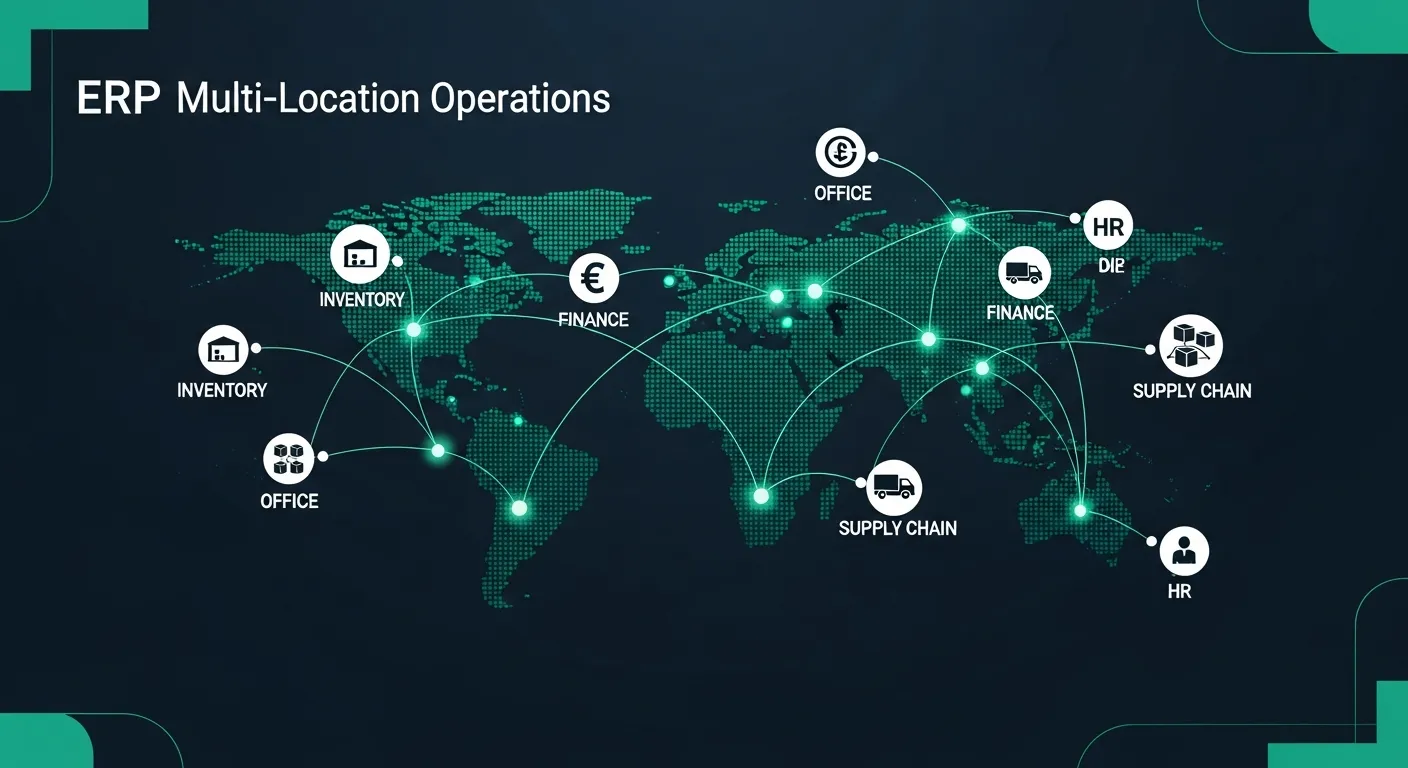
Running a multi-location business can feel like navigating a maze blindfolded. Each site has its own processes, data silos, and operational quirks that make coordination a constant challenge. Without the right tools, managers spend more time chasing information than making strategic decisions — and costly inefficiencies pile up fast.
That's where an Enterprise Resource Planning (ERP) system becomes a game-changer. A modern ERP solution unifies your operations across every location, giving you real-time visibility, centralized control, and the agility to scale. Whether you're managing two warehouses or twenty retail outlets, ERP transforms multi-location chaos into streamlined efficiency.
In this guide, we'll explore 10 powerful ways ERP enhances multi-location operations, the challenges you might face during implementation, and how to overcome them for lasting success.
10 Ways ERP Enhances Multi-Location Operations
Managing multiple locations effectively requires more than spreadsheets and manual coordination. An ERP system addresses the unique complexities of distributed operations by providing integrated solutions across every critical business function. Here are 10 ways ERP transforms how multi-location businesses operate:
- Centralized Data Management
- Inventory Management
- Financial Consolidation
- Supply Chain Optimization
- Customer Relationship Management
- Human Resource Management
- Compliance and Risk Management
- Scalability and Flexibility
- Business Intelligence and Analytics
- Cloud-based ERP Solutions
Let's dive into each of these areas and explore how ERP delivers measurable value across every site in your organization.
1. Centralized Data Management
Data fragmentation is one of the biggest obstacles for multi-location businesses. When each site maintains its own records, inconsistencies creep in, decisions are delayed, and collaboration suffers. ERP eliminates these data silos by centralizing all information into a single, unified platform.
Real-time Data Synchronization
Real-time synchronization ensures that every location is working with the most current data, eliminating the lag that comes with manual updates and batch processing.
- Instant Updates: Changes made at one location are immediately reflected across all sites, ensuring everyone has access to the latest inventory levels, pricing, and customer information without delays.
- Reduced Errors: Automated synchronization eliminates the manual data entry and reconciliation processes that are prone to human error, improving overall data accuracy across the organization.
- Improved Collaboration: Teams across different locations can collaborate seamlessly using the same real-time data, enabling faster decision-making and more coordinated operations.
Single Source of Truth
A single source of truth means every department and location pulls from the same reliable dataset, removing ambiguity and conflicting reports from the equation.
- Data Consistency: All locations reference the same master data for products, customers, vendors, and processes, ensuring uniformity in how the business operates and reports across every site.
- Simplified Auditing: With all data centralized, audit trails are comprehensive and easy to follow, reducing the time and complexity involved in compliance reviews and internal audits.
- Enhanced Decision Making: Leadership can trust the data they're analyzing because it comes from a single, validated source, leading to more confident and accurate strategic decisions.
2. Inventory Management
Managing inventory across multiple locations without a unified system leads to overstocking at some sites, stockouts at others, and wasted resources everywhere. ERP brings visibility and control to your entire inventory network.
Stock Transfers and Tracking
Efficient stock transfer capabilities allow businesses to move inventory between locations based on demand, reducing waste and ensuring products are where customers need them.
- Inter-location Transfers: ERP enables seamless stock movement between warehouses, stores, and distribution centers with full documentation, approval workflows, and automated tracking at every step.
- Real-time Visibility: Managers can view inventory levels across all locations in a single dashboard, making it easy to identify surpluses, shortages, and opportunities for redistribution.
- Automated Alerts: The system automatically triggers notifications when stock levels fall below predetermined thresholds, enabling proactive replenishment before shortages impact operations.
Demand Forecasting
Accurate demand forecasting helps each location maintain optimal stock levels, reducing carrying costs while ensuring product availability for customers.
- Data-driven Predictions: ERP leverages historical sales data, market trends, and seasonal patterns to generate accurate demand forecasts that help each location plan inventory levels effectively.
- Location-specific Insights: Forecasting algorithms account for the unique demand patterns at each location, considering factors like local demographics, regional preferences, and competitive landscape.
- Seasonal Adjustments: The system automatically adjusts forecasts based on seasonal trends, promotional calendars, and special events, ensuring locations are prepared for demand fluctuations throughout the year.
3. Financial Consolidation
Financial management becomes exponentially more complex with each new location, especially when dealing with different currencies, tax regulations, and reporting requirements. ERP simplifies financial consolidation by bringing all financial data together in one system.
Multi-currency Support
For businesses operating across borders, multi-currency support is essential for accurate financial reporting and effective cash flow management.
- Automatic Conversions: ERP handles currency conversions in real-time using up-to-date exchange rates, ensuring financial transactions and reports accurately reflect values across different currencies.
- Exchange Rate Management: The system maintains historical exchange rate data and supports multiple rate types, enabling accurate financial reporting for both operational and statutory requirements.
- Currency Risk Assessment: Built-in analytics help identify and quantify currency exposure across locations, enabling treasury teams to develop effective hedging strategies and minimize foreign exchange risk.
Financial Statements
Consolidated financial statements give leadership a comprehensive view of the organization's financial health, while location-specific reports enable granular performance analysis.
- Granular Reporting: ERP generates detailed financial statements for individual locations, departments, and cost centers, providing the granularity needed for effective performance management.
- Roll-up Capabilities: Location-level financial data automatically rolls up into consolidated corporate reports, eliminating manual aggregation and ensuring consistency between local and corporate reporting.
- Customizable Dashboards: Executives can create personalized financial dashboards that display the KPIs most relevant to their role, with drill-down capabilities to investigate anomalies at any location.
4. Supply Chain Optimization
A fragmented supply chain across multiple locations leads to redundant purchasing, inconsistent vendor relationships, and missed cost-saving opportunities. ERP optimizes your entire supply chain from procurement to delivery.
Coordinated Purchasing
Coordinated purchasing across locations unlocks significant cost savings through volume discounts and streamlined vendor management.
- Bulk Ordering: ERP consolidates purchasing requirements across all locations, enabling organizations to leverage their combined buying power for better pricing, terms, and priority service from suppliers.
- Supplier Management: A centralized vendor database ensures consistent supplier evaluation, performance tracking, and relationship management across all locations, reducing supply chain risk.
- Purchase Order Automation: Automated purchase order generation based on inventory levels, demand forecasts, and reorder points reduces manual effort and ensures timely procurement across every site.
Distribution and Logistics
Efficient distribution and logistics management ensures products reach the right location at the right time, minimizing transit costs and delivery delays.
- Route Optimization: ERP analyzes delivery routes, transportation costs, and delivery windows to determine the most efficient distribution paths between locations and to customers.
- Warehouse Management: Integrated warehouse management capabilities optimize storage allocation, picking routes, and shipping processes across all distribution centers and warehouses.
- Shipment Tracking: End-to-end shipment visibility allows all stakeholders to monitor the status of goods in transit, proactively manage exceptions, and provide accurate delivery estimates to customers.
5. Customer Relationship Management
Customers expect a consistent experience regardless of which location they interact with. ERP-integrated CRM ensures every site has access to complete customer information and follows standardized service processes.
Unified Customer View
A unified customer view ensures that every team member, at every location, has the complete picture of each customer's history, preferences, and needs.
- Centralized Database: All customer data — contact information, purchase history, preferences, and support tickets — is stored in a single database accessible by authorized staff at any location.
- Interaction History: Every customer touchpoint across all locations and channels is recorded, giving staff complete context for personalized service and informed upselling opportunities.
- 360-degree Profiles: Comprehensive customer profiles combine transactional data, communication history, and behavioral insights to create a holistic understanding of each customer's value and needs.
Consistent Experience
Delivering a consistent customer experience across all locations builds brand trust and drives customer loyalty, regardless of where the interaction takes place.
- Standardized Processes: ERP ensures that customer-facing processes like order handling, returns, and support follow the same standards across all locations, maintaining service quality and brand consistency.
- Cross-location Support: Customers can start an interaction at one location and seamlessly continue it at another, with staff having full visibility into previous communications and outstanding issues.
- Unified Communication: Centralized communication tools ensure consistent messaging, branding, and follow-up processes across all customer touchpoints, whether in-person, online, or by phone.
6. Human Resource Management
Managing a workforce spread across multiple locations introduces challenges in policy consistency, compliance, and employee engagement. ERP centralizes HR operations while accommodating location-specific requirements.
Standardized HR Processes
Standardized HR processes ensure fair, consistent treatment of employees across all locations while simplifying administration and compliance.
- Uniform Policies: ERP enables organizations to implement consistent HR policies for hiring, onboarding, performance reviews, and benefits administration across all locations while accommodating local labor law requirements.
- Centralized Records: All employee records, including contracts, certifications, training history, and performance data, are maintained in a single system accessible by authorized HR staff at any location.
- Automated Workflows: HR processes like leave approvals, expense reimbursements, and performance review cycles are automated with configurable workflows that ensure consistency and reduce administrative overhead.
Employee Self-Service
Employee self-service portals empower staff to manage routine HR tasks independently, reducing administrative burden and improving employee satisfaction.
- 24/7 Access: Employees at any location can access pay stubs, benefits information, company policies, and training materials through a secure self-service portal available around the clock.
- Reduced Admin: By enabling employees to update personal information, submit leave requests, and enroll in benefits independently, self-service portals significantly reduce HR administrative workload.
- Mobile Accessibility: Mobile-friendly self-service applications allow employees to access HR functions from any device, which is particularly valuable for field workers and staff at remote locations.
7. Compliance and Risk Management
Operating across multiple locations often means navigating different regulatory environments, tax jurisdictions, and compliance requirements. ERP provides the tools to manage this complexity systematically.
Regulatory Compliance
Automated compliance features ensure your organization stays on the right side of regulations across every jurisdiction where you operate.
- Customizable Rules: ERP allows organizations to configure location-specific compliance rules for tax calculations, reporting requirements, and regulatory standards without affecting other locations' configurations.
- Automated Checks: Built-in compliance validation automatically checks transactions, processes, and reports against configured rules, flagging potential violations before they become costly issues.
- Audit Trails: Comprehensive audit trails track every transaction, approval, and data change across all locations, providing the documentation needed for regulatory audits and internal governance reviews.
Risk Assessment
Proactive risk assessment capabilities help organizations identify, evaluate, and mitigate operational risks before they impact the business.
- Risk Dashboard: Centralized risk dashboards aggregate risk indicators from all locations, giving leadership a clear view of the organization's overall risk profile and emerging threats across every site.
- Scenario Planning: ERP supports what-if analysis and scenario modeling, enabling risk managers to evaluate the potential impact of various risk events and develop appropriate contingency plans.
- Incident Reporting: Standardized incident reporting workflows ensure that risk events at any location are captured, documented, and escalated consistently, enabling organization-wide learning and prevention.
8. Scalability and Flexibility
Growth is the goal for most multi-location businesses, and your ERP system should grow with you. A scalable ERP platform makes adding new locations and adapting to changing needs straightforward and cost-effective.
Adding New Locations
The ability to quickly onboard new locations is a critical advantage of a well-implemented ERP system, reducing time-to-value for every expansion.
- Rapid Deployment: Pre-configured templates and standardized processes enable new locations to go live quickly, with proven configurations that reduce setup time and implementation risk.
- Data Migration Tools: Built-in data migration utilities simplify the process of bringing existing location data into the ERP system, with validation checks to ensure data quality during the transition.
- Training Resources: Standardized training programs and materials allow new location staff to get up to speed quickly, with role-based curricula and self-paced learning options for different user groups.
Location-specific Customization
While standardization is important, each location may have unique requirements that need to be accommodated without compromising the overall system integrity.
- Modular Design: A modular ERP architecture allows locations to enable or disable specific features based on their needs, without requiring custom development or affecting other locations' functionality.
- Configurable Workflows: Workflow engines allow location-specific process variations to be configured within the standard framework, balancing local requirements with organizational consistency.
- API Integration: Open APIs enable locations to integrate local third-party tools, specialized equipment, and regional platforms without disrupting the core ERP system or other locations' operations.
9. Business Intelligence
Data is only valuable when it's transformed into actionable insights. ERP's built-in business intelligence capabilities turn multi-location data into a strategic advantage.
Cross-location Comparisons
Comparing performance across locations reveals best practices, identifies underperformers, and drives continuous improvement across the organization.
- Benchmarking: ERP enables standardized benchmarking across locations using consistent metrics, making it easy to identify top performers and understand the factors driving their success.
- Dashboards: Interactive dashboards display side-by-side performance comparisons across locations, with drill-down capabilities to investigate the root causes of variances and trends.
- Best Practice Identification: By analyzing performance data across locations, organizations can identify and replicate successful practices, driving continuous improvement and operational excellence network-wide.
Data-driven Decisions
Advanced analytics capabilities empower leaders to make decisions based on comprehensive data rather than intuition or incomplete information.
- Predictive Analytics: Machine learning algorithms analyze historical data to predict future trends, customer behavior, and operational outcomes, enabling proactive decision-making across all locations.
- What-if Scenarios: Simulation tools allow managers to model different scenarios — pricing changes, resource reallocation, market shifts — and evaluate their potential impact before committing to action.
- Real-time Reporting: Live reporting dashboards provide up-to-the-minute insights into operations across all locations, enabling leadership to respond quickly to emerging opportunities and challenges.
10. Cloud-based ERP Solutions
Cloud-based ERP has become the preferred choice for multi-location businesses, offering unmatched flexibility, accessibility, and cost efficiency compared to traditional on-premise deployments.
Accessibility from Anywhere
Cloud ERP breaks down geographic barriers, enabling teams at any location to access the system with nothing more than an internet connection and a web browser.
- Global Access: Authorized users can access the ERP system from any location worldwide, ensuring that remote offices, traveling executives, and field teams stay connected to critical business data.
- Real-time Collaboration: Cloud-based tools enable teams across different locations and time zones to collaborate on documents, workflows, and projects simultaneously, improving productivity and reducing delays.
- Mobile Functionality: Mobile-optimized interfaces and native apps allow users to perform key ERP functions from smartphones and tablets, supporting on-the-go decision-making and field operations.
Reduced IT Costs
Cloud ERP eliminates the need for significant on-premise IT infrastructure at each location, dramatically reducing both capital and operational technology expenses.
- Eliminated Hardware: With cloud ERP, there's no need to purchase, maintain, or replace servers and networking equipment at each location, converting capital expenditure into predictable monthly operating costs.
- Automatic Updates: The cloud provider handles all software updates, patches, and version upgrades automatically, ensuring every location runs the latest version without requiring local IT intervention.
- Scalable Resources: Cloud infrastructure scales automatically based on demand, so organizations only pay for the computing resources they actually use, avoiding the cost of over-provisioning for peak loads.
Enhanced Security
Leading cloud ERP providers invest heavily in security infrastructure and expertise, often delivering better protection than most organizations could achieve with on-premise deployments.
- Advanced Protocols: Cloud providers implement enterprise-grade security measures including encryption at rest and in transit, multi-factor authentication, and continuous threat monitoring across all access points.
- Disaster Recovery: Built-in disaster recovery capabilities with geo-redundant data backups ensure business continuity, with recovery time objectives that typically exceed what on-premise solutions can offer.
- High Availability: Cloud ERP platforms are designed for maximum uptime with redundant infrastructure, load balancing, and failover mechanisms that keep the system available even during maintenance windows.
Rapid Deployment
Cloud ERP significantly accelerates the deployment process for new locations, reducing the time and resources required to bring each site online.
- Quick Setup: New locations can be provisioned and configured in the cloud within days rather than weeks, with no need for on-site hardware installation or complex network configuration.
- Standardized Processes: Cloud deployment templates ensure consistent configuration across locations, reducing the risk of setup errors and making it easier to maintain system uniformity as you scale.
- Flexible Scalability: Cloud infrastructure can be scaled up or down instantly to accommodate new locations, seasonal demand spikes, or organizational changes without procurement delays or hardware limitations.
Implementation Challenges
While the benefits of multi-location ERP are compelling, implementation comes with its own set of challenges that organizations must anticipate and address proactively. Understanding these challenges upfront helps you plan effectively and avoid common pitfalls.
The most common challenges include:
- Data Migration: Moving data from multiple legacy systems into a unified ERP platform requires careful planning, cleansing, and validation to ensure accuracy and completeness across all locations.
- Customization vs. Standardization: Balancing the need for location-specific configurations with the benefits of standardized processes is one of the most difficult decisions in multi-location ERP deployment.
- Resource Constraints: Multi-location implementations require significant time, budget, and personnel commitments that can strain organizational resources, especially during the transition period.
To overcome these challenges, consider these best practices:
- Needs Assessment: Conduct a thorough needs assessment at each location before implementation to understand unique requirements, existing processes, and potential integration challenges.
- Phased Rollout: Implement the ERP in phases rather than all locations simultaneously, starting with a pilot site to refine processes and learn lessons before scaling across the organization.
- Cross-functional Team: Assemble a diverse implementation team with representatives from every location and department to ensure all perspectives are considered and build organization-wide buy-in.
Change Management
Change management is often the most underestimated aspect of multi-location ERP implementation. Technical success means nothing if your people don't embrace the new system. Here are four best practices for effective change management:
- Clear Communication: Develop a comprehensive communication plan that explains the reasons for the ERP change, the expected benefits for each location, and the timeline for implementation to keep all stakeholders informed and engaged.
- Localized Approach: Tailor your change management strategy to account for cultural differences, work practices, and communication preferences at each location, rather than applying a one-size-fits-all approach.
- Leadership Alignment: Ensure that leaders at every location are aligned on the vision, actively champion the change, and model the behaviors expected from their teams throughout the transition.
- Employee Involvement: Involve employees from all locations in the planning and design process, giving them a sense of ownership over the changes and ensuring the system addresses their real-world needs.
Training and Adoption
Effective training is the bridge between a successful technical implementation and actual business value. Without proper training and adoption support, even the best ERP system will fail to deliver results. Here are four best practices:
- Role-specific Training: Design training programs tailored to specific roles and responsibilities, ensuring each user learns the features and workflows most relevant to their daily tasks and decision-making needs.
- Hands-on Learning: Prioritize hands-on, practical training using real-world scenarios and sandbox environments over classroom lectures, allowing users to build confidence through direct experience with the system.
- Ongoing Training: Establish a continuous training program that extends well beyond go-live, with regular refresher sessions, advanced feature workshops, and new-hire onboarding modules to maintain proficiency.
- Feedback and Iteration: Create formal channels for users at all locations to provide feedback on the system and training effectiveness, using this input to continuously improve both the ERP configuration and training approach.
Simplify Multi-Location Operations
Managing multiple locations doesn't have to be overwhelming. With the right ERP solution, you can transform fragmented operations into a unified, efficient organization that delivers consistent results across every site. From centralized data management and real-time inventory tracking to cloud-based accessibility and advanced analytics, ERP provides the tools you need to operate smarter, scale faster, and compete more effectively in today's dynamic business environment. The key is choosing the right system, planning your implementation carefully, and investing in the change management and training that drive lasting adoption and value.